thaiapp — Read, Write, Speak
Interactive lessons, SRS flashcards, AI stroke evaluation, pronunciation trainer, and minimal pairs — all in one app.
Everything you need to master Thai
Six integrated tools that work together to build your reading, writing, speaking, and listening skills.
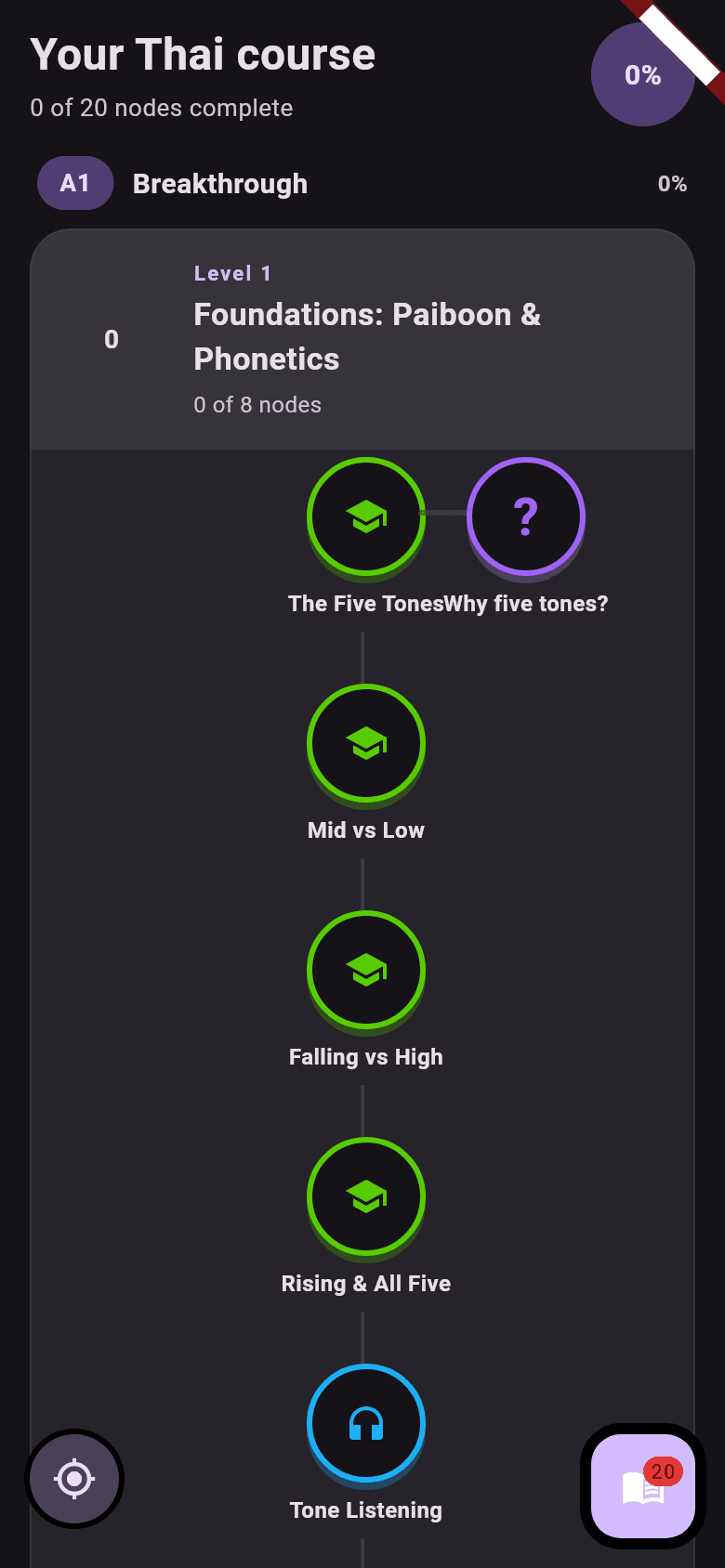
A CEFR Roadmap, Not a Random Word List
Work through a structured path from A1 to C2: Foundations, Alphabet, First Words, First Sentences, Vocabulary Building. Lessons follow real corpus frequency — the words you'll actually meet — grouped into themed batches, with drills, milestones, challenges, and side quests between them.
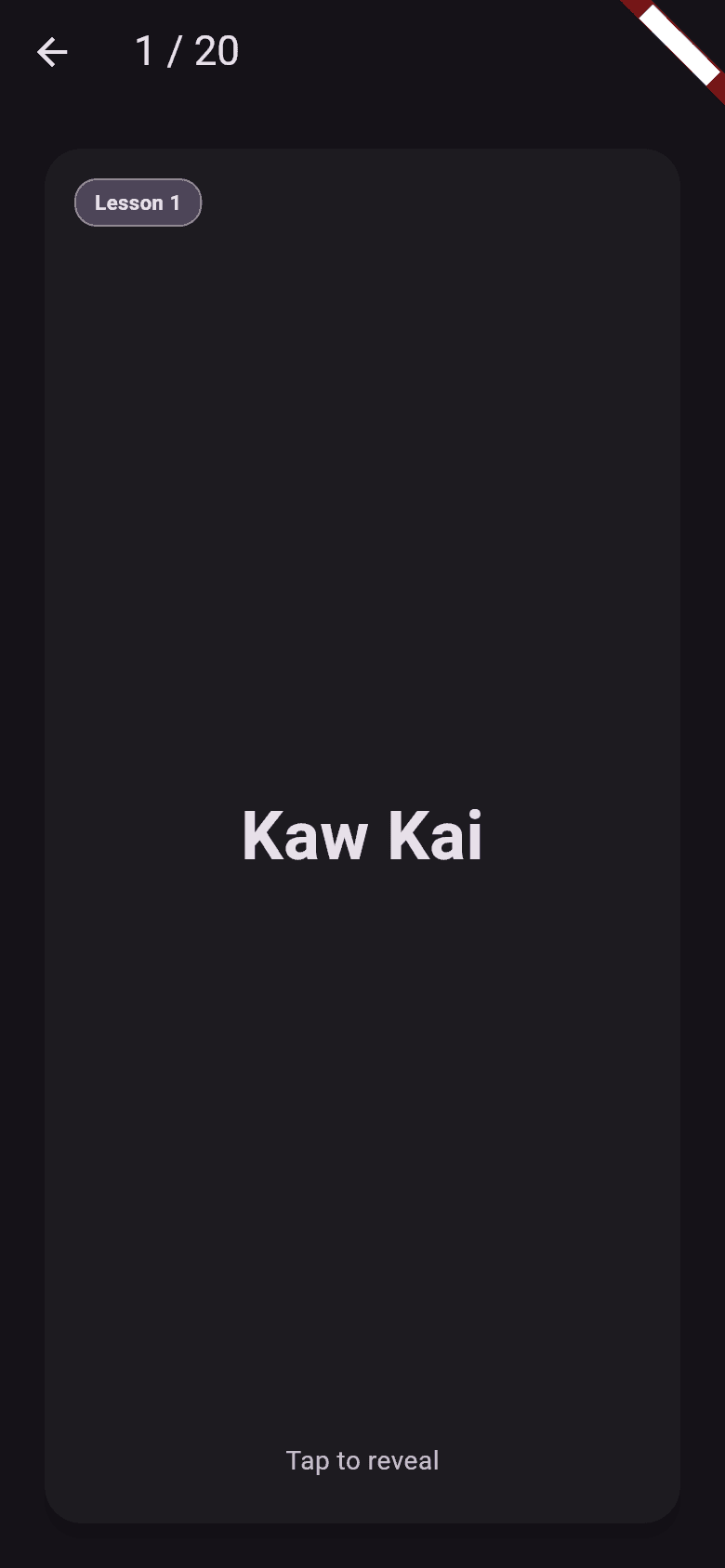
Spaced Repetition Done Right
Flashcards run on FSRS — the modern spaced-repetition algorithm — with a stratified review queue, a browsable collection, and a review-history dashboard with streaks. Every lesson you finish can feed new cards straight into your deck.
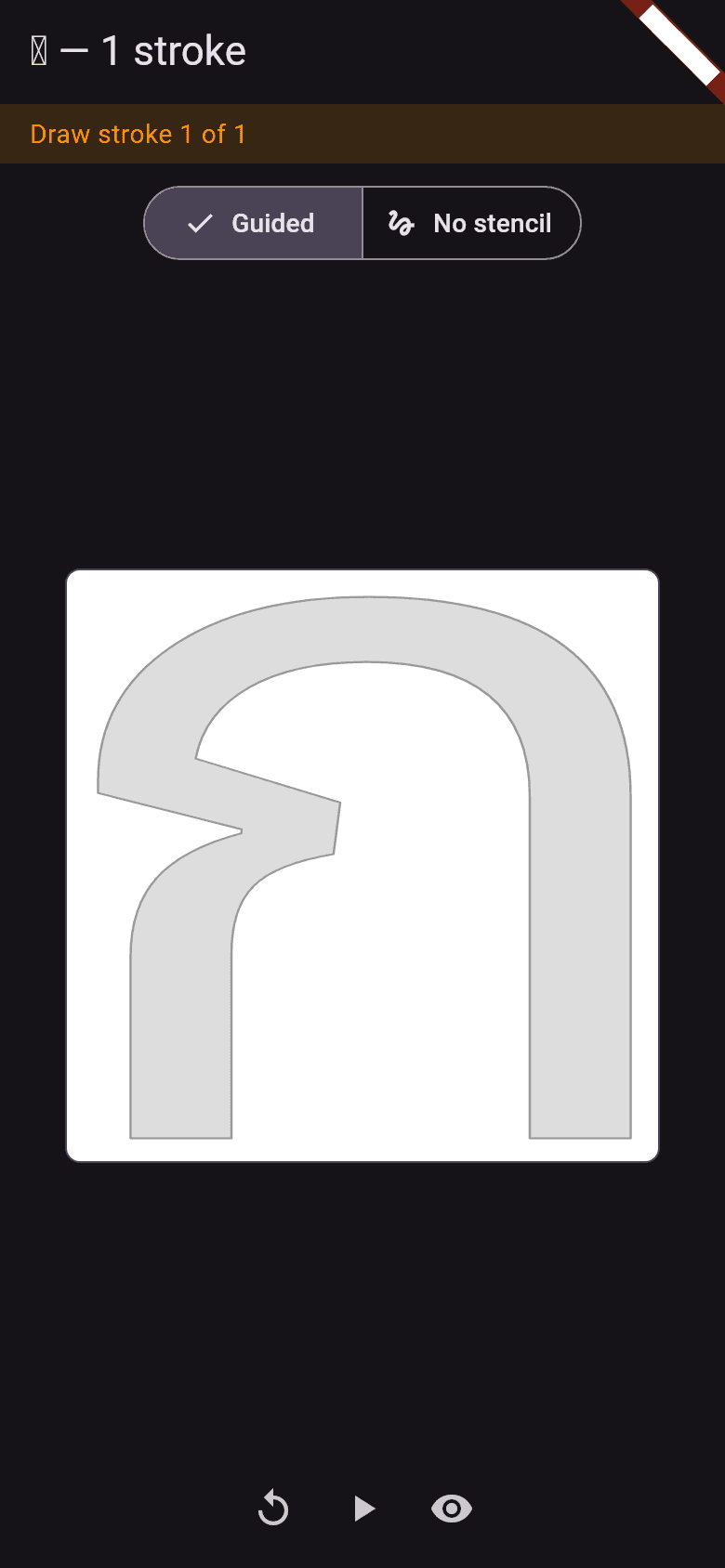
Write Thai Stroke by Stroke
Draw characters on a whiteboard and get instant, stroke-by-stroke feedback: shape, direction, and order are checked as you write. Miss a stroke and a ghost comparison shows where you went wrong. Try it blind in no-stencil mode when you're ready.
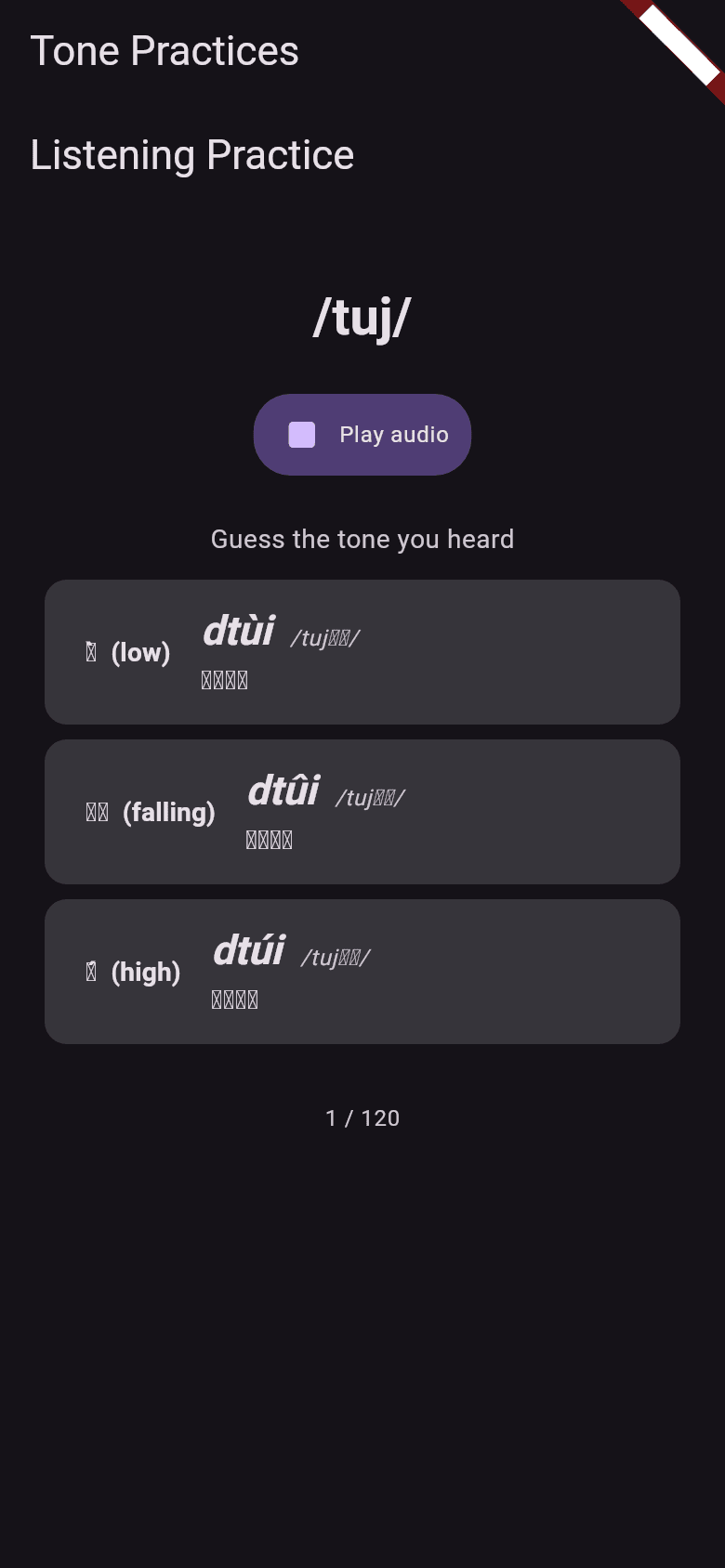
See Your Tones, Don't Guess Them
Thai is tonal — so thaiapp shows you your pitch contour drawn right on top of a native speaker's. Listen to a word and pick the tone you heard, or record yourself and get scored against the target tone, with on-device speech recognition checking you said the right word. Works fully offline.
Lessons That Build Real Sentences
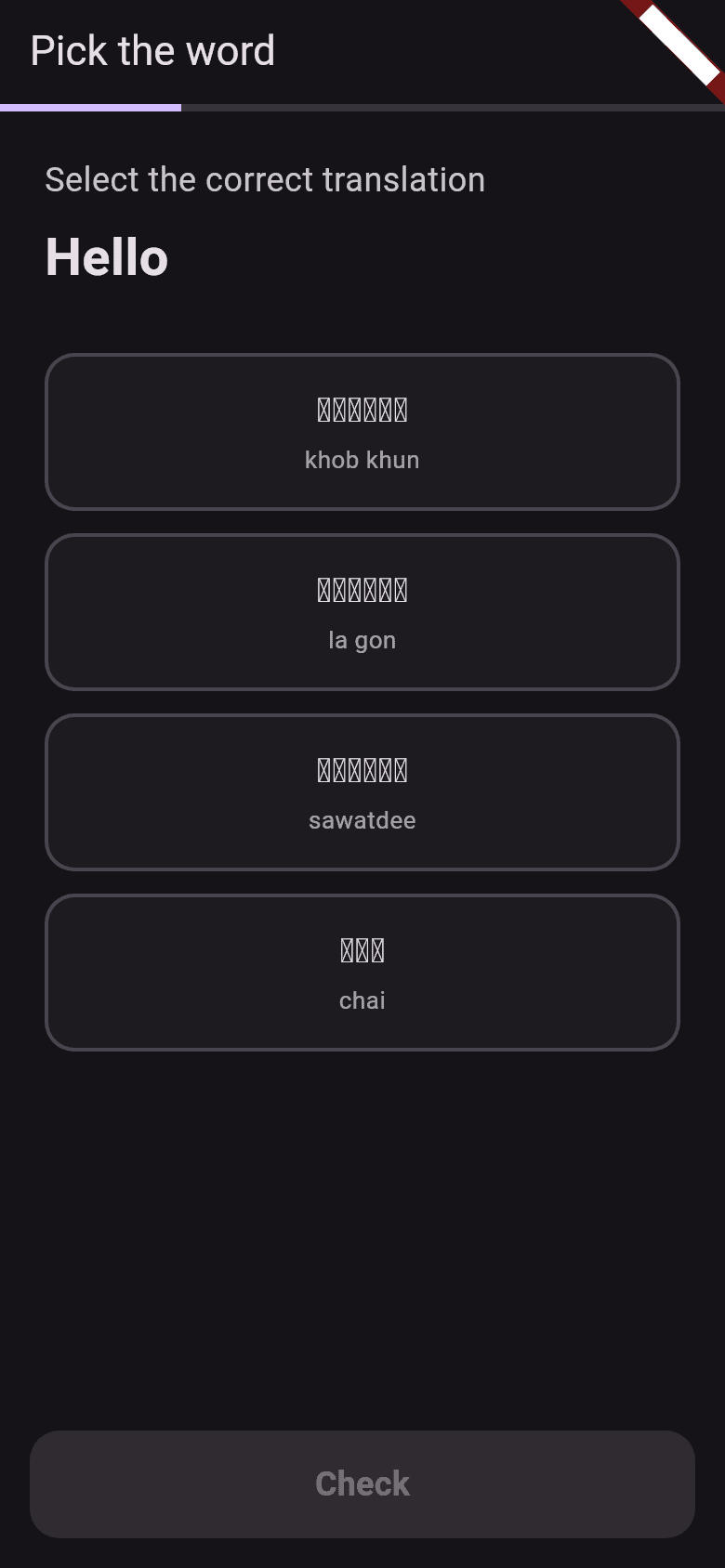
Each lesson mixes exercise types — pick the word, listen, type, word-map, and draw — so you meet every word through ears, eyes, and hands. Minimal-pairs training sharpens the sounds that actually trip learners up: tone pairs, long vs short vowels, and aspirated vs unaspirated consonants.
Your Progress, On Every Device
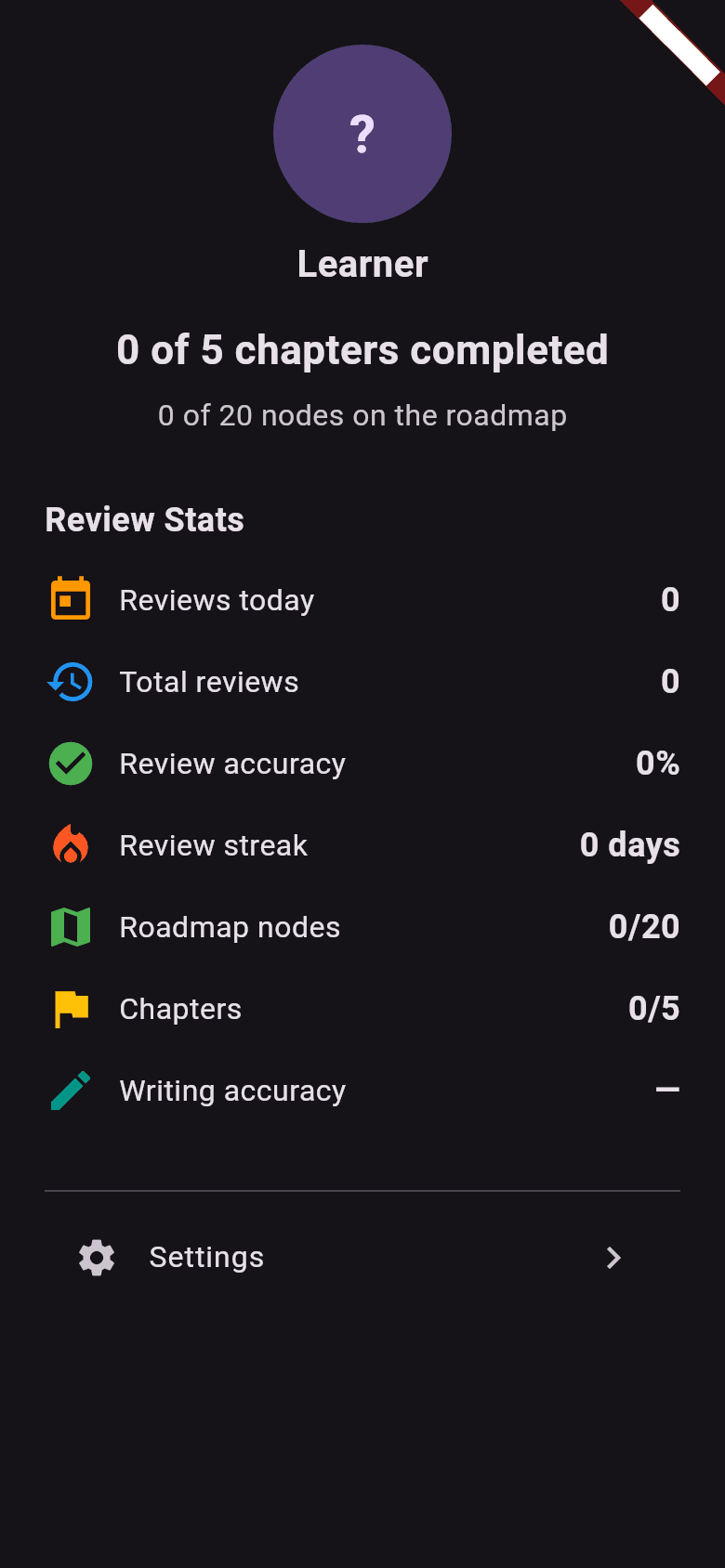
Start anonymously and use the app fully offline. Create an account when you're ready and your progress, cards, and stroke history sync across all your devices automatically. The stats dashboard keeps you honest: reviews today, lifetime accuracy, and your streak.
Start free. Unlock the rest as you grow.
One app on every platform. Your progress goes with you.
Free
Start learning today, no card required.
- The A1 Foundations band: alphabet, the five tones, and your first words
- SRS flashcards with FSRS scheduling
- Stroke-order practice for every character
- Tone practice with pitch-contour feedback
- Offline use and cross-device sync
Premium
Unlock the full curriculum as it's released.
- Every CEFR band from A2 onwards
- New lessons, drills, and challenges as they ship
- Minimal-pairs ear training across all categories
- Supports independent Thai-language content
Frequently asked questions
Which platforms does thaiapp run on?
Android, iOS, web, Windows, macOS, and Linux — one app, same progress everywhere.
Do I need to read Thai script to start?
No. Every word is shown in Paiboon romanization with a Thai-script toggle, and the Foundations band teaches you the alphabet stroke by stroke.
Does pronunciation feedback need an internet connection?
No. Speech recognition and tone classification run on-device — your recordings never leave your phone. thaiapp is fully usable offline.
Is my progress backed up?
The app works offline-first with an anonymous account created automatically. When you sign in with Google or email, your progress, flashcards, and stroke history sync across devices.
What's free and what's Premium?
The A1 Foundations band — alphabet, tones, and first words — plus flashcards, stroke practice, and tone practice are free. Premium unlocks every CEFR band from A2 onwards as it's released, including the full minimal-pairs curriculum.
Is thaiapp in beta?
Yes — early access is open now, and the curriculum grows with every release. Join the beta list to be first in.
Get early access
thaiapp is in beta. Sign up for free access and be the first to know when we launch.